Table of Contents
Want to build dynamic, advanced websites with Elementor in 2026? Crocoblock Pro is a powerful toolkit that adds dynamic content, custom post types, advanced filters, and WooCommerce features to your WordPress site.
In this step-by-step guide, you’ll learn how to install Crocoblock Pro 3.21.1, configure it properly, and unlock its full potential for building professional websites.
How to Install Crocoblock Pro (Step-by-Step)
- Install Elementor (Required)
- Go to WordPress Dashboard → Plugins → Add New
- Search for Elementor Website Builder
- Click Install → Activate
- Crocoblock works best with Elementor.
- Install Crocoblock Wizard Plugin
- Download Crocoblock Wizard (JetPlugins Wizard)
- Go to Plugins → Add New → Upload Plugin
- Upload ZIP file → Install → Activate
- Select Required Plugins
- After activation:
- Choose plugins you need:
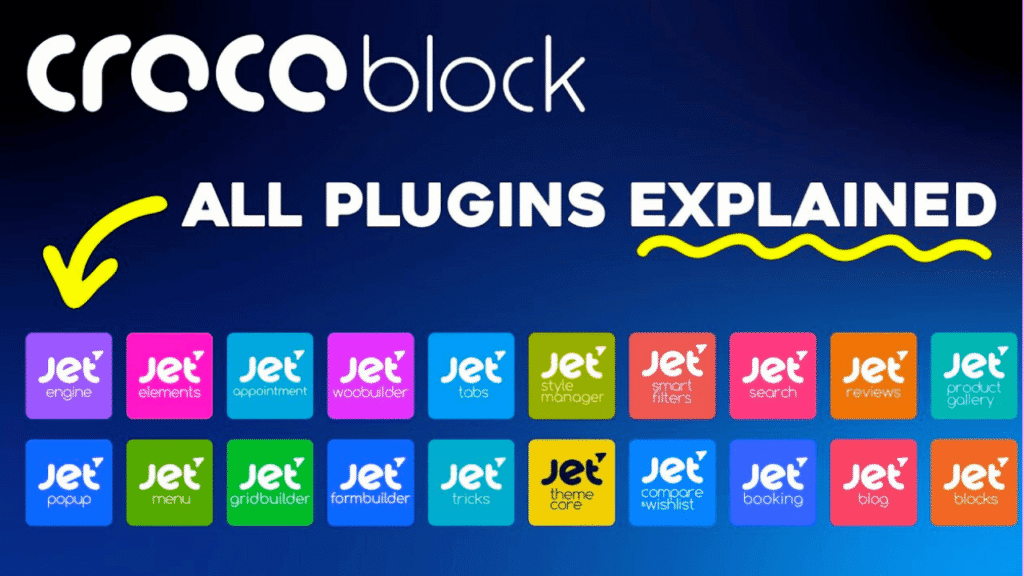
- JetEngine – Dynamic content, CPT, listings
- JetSmartFilters – Advanced AJAX filters
- JetElements – Extra Elementor widgets
- JetWooBuilder – WooCommerce page builder
- JetTabs – Tabs & accordion
- JetMenu – Mega menu builder
- JetBlocks – Header elements
- JetTricks – Visual effects
- JetProductGallery – Product gallery
- JetCompareWishlist – Compare & wishlist
- JetReviews – Reviews & ratings
- JetBlog – Blog layouts
- JetPopup – Popups
- JetFormBuilder – Forms
- JetBooking – Booking system
- JetAppointment – Appointment system
- JetProfileBuilder – User profiles
- JetSearch – Live search
- JetStyleManager – Global styles
- Install & Activate JetPlugins
- Click Install Selected Plugins
- Wait for installation
- Activate all required plugins
- Import Demo Templates (Optional)
- Choose a ready-made template
- Import full website or specific pages
- Customize using Elementor
- Configure Key Settings
- JetEngine
- Create Custom Post Types (CPT)
- Add Custom Fields
- Enable Dynamic Listings
- JetSmartFilters
- Add filters (category, price, search, etc.)
- JetWooBuilder
- Customize product pages, cart, checkout
Crocoblock Pro Key Features (2026)
- Dynamic Content (Custom Post Types & Fields)
- Advanced Listing Grid & Query Builder
- Smart Filters (AJAX filtering)
- WooCommerce Builder
- Mega Menu Builder
- 50+ Advanced Elementor Widgets
- Booking & Appointment system
- User Profile Builder
- Popup & Form Builder
- REST API integration
Crocoblock Pricing (2026)
- All-Inclusive Plan – ~$199/year
- Lifetime Plan – ~$750 (one-time)
- Includes all JetPlugins and updates.
Crocoblock Review (2026)
- ✅ Pros
- All-in-one toolkit for dynamic websites
- Perfect for Elementor users
- Powerful filtering & listing system
- Great for directories, marketplaces, LMS
- Regular updates & new features
- ❌ Cons
- Slight learning curve for beginners
- Too many plugins can feel complex
- Requires good hosting for best performance
Crocoblock Jet Engine Tutorial - Beginners Guide
Frequently Asked Questions (FAQ)
Is Crocoblock Pro worth it?
Yes, it’s ideal for developers, freelancers, and agencies building advanced websites.
Do I need Elementor for Crocoblock?
Yes, Crocoblock is designed to work with Elementor.
Can I build dynamic websites with Crocoblock?
Yes, you can create custom post types, listings, and dynamic layouts.
Is Crocoblock beginner-friendly?
It’s beginner-friendly but may require some learning for advanced features.